Any-to-Any Seamless Migrations for Commerce Platforms

Any-to-Any Seamless Migrations for Commerce Platforms

Migrating merchants to more innovative, cost-effective, or relevant Commerce platforms/apps should be an opportunity—not a headache. Yet for many platforms, ISOs, and businesses, the process remains expensive, manual, and full of uncertainty. Bad data, mapping inconsistencies, and integration gaps often delay time-to-activation and lead to lost revenue.

Whether it’s POS, Accounting/ERP, CRM, Payments, Marketing, or Inventory Management, the challenge isn’t just switching systems; it’s ensuring that everything works seamlessly from day one.

LinkToAny is built to solve exactly that.

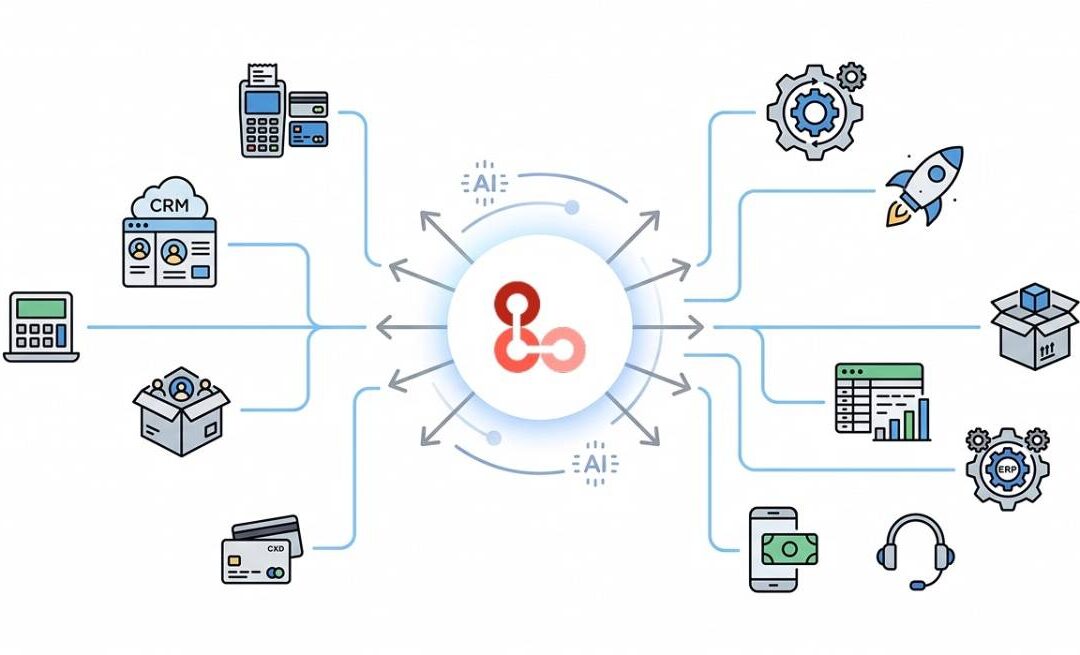
With AI-native data cleansing, automated mapping, and powerful migration tools, LinkToAny enables platforms and ISOs to onboard merchants into any platform quickly, accurately, and without disruption. Beyond migration, LinkToAny also delivers the integrations required to fully sync and automate the merchant’s entire tech stack.

The result? Faster onboarding, lower costs, and a dramatically improved experience for both platforms and their merchants.

Rethinking Merchant Onboarding

LinkToAny has already powered thousands of successful migrations across a wide range of commerce platforms, reducing time-to-activation up to 95%, by bringing together three key elements:

Pre-Import Cleansing Layer

At the heart of most migration challenges is one issue—bad data. Common problems include:

  • Inconsistent formatting (e.g., phone numbers without country codes, incomplete addresses)
  • Duplicate records
  • Missing mandatory fields
  • Incorrect data structures (like product variants embedded in descriptions)

These issues lead to failed imports, delayed launches, increased operational risk, and higher support overhead. Before migration begins, LinkToAny cleans and transforms data using LLM-based technology. This ensures that datasets are standardized, deduplicated, and aligned with the destination platform’s requirements—eliminating errors before they happen.

Automated Mapping & Migration

AI-powered file and API based migrations, which include automated mapping for critical datasets such as Products, Customers, Orders, Sales history and any other data sets supported by the target system’s schema.

Onboarding teams gain full visibility into the migration process with dashboards that:

  • Track real-time progress
  • Highlight errors
  • Provide automated correction suggestions

This transparency helps teams stay proactive and efficient throughout the migration lifecycle.

Embeddable, Fully Customizable Integrations

A successful migration is not complete without synchronizing with the merchant’s tech stack. LinkToAny offers a robust integration framework designed to scale with your needs:

  • 50+ pre-built integrations across commerce systems
  • Rapid custom integrations built in days, including tailored variants of pre-built integrations
  • White-label embedding, so integrations appear native to your platform
  • Secure and compliant deployment, with options to run within your infrastructure
  • Continuous maintenance and monitoring to ensure long-term reliability


Transparent, Scalable Pricing

LinkToAny not only eliminates complexity and risk from merchant onboarding, it is also a cost-effective option for platforms, ISOs, and merchants of all sizes. 

Data Cleansing & Migration

  • $150 for the first 5,000 lines of data (includes cleansing and ops support)
  • $0.01 per additional line
  • Custom pricing available for large-scale migrations

Integrations

  • Starting at $10 per location/month for existing integrations
  • Starting at $20 per location/month for custom integrations


The Future of Merchant Onboarding

Commerce platforms are evolving rapidly, and businesses need the ability to adapt just as quickly. Migrations and integrations should never be bottlenecks—they should be enablers of growth.

LinkToAny transforms a traditionally complex process into a seamless, automated experience. By combining AI-powered data handling with flexible integration capabilities, it empowers platforms/apps to move faster, onboard merchants effortlessly, and scale with confidence.
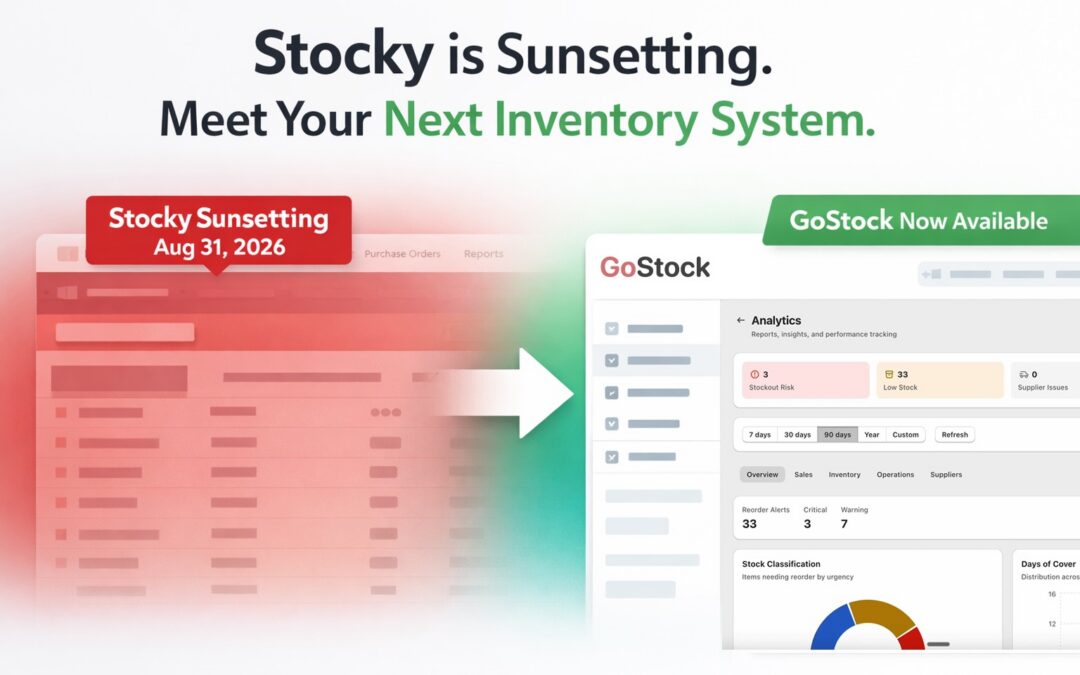
Stocky is sunsetting. Use GoStock for inventory management and more.

Stocky is sunsetting. Use GoStock for inventory management and more.

Are you a Shopify merchant relying on Stocky for inventory management? With Stocky officially sunsetting on August 31, 2026, the team at LinkToAny is excited to introduce GoStock — a modern, Shopify POS native inventory operations app.

  1. Simple, Transparent Pricing: GoStock is priced at $29 per month for 1 location + $10 per month per additional location. The pricing includes unlimited SKUs and all features covered by Stocky and more – see FAQs below for additional details.

  2. Seamless Onboarding: Migrating from Stocky to GoStock is effortless. Simply install GoStock, and the app securely connects to Stocky APIs to automatically pull your inventory and operational data.
  3. QBD Connector App Sync:  GoStock has been designed to replace Stocky and work with LINK’s QuickBooks Desktop connector app. If you are a connector app user, you can continue your operations without disruption.

Install GoStock today or book a 20 minute walkthrough to learn more. For any questions and comments, you can reach the GoStock team at gostock@linktoany.com

Key FAQs about GoStock

1. What prior experience does LinkToAny have with Shopify and Shopify merchants?

LinkToAny has had a strategic partnership with Shopify since 2022. Historically, we have onboarded 4000+ merchants from QuickBooks POS to Shopify POS, and established the integration between Shopify and QuickBooks Desktop accounting. Currently, LinkToAny has an active partnership with Shopify to migrate and launch new businesses.

2. What prior experience does LinkToAny have with inventory management systems?

Our previous version of GoStock has been used by retailers for over 5 years. It was deployed as a custom system for select retailers, and hence our engineers understand the nuances of inventory management/replenishment. GoStock is the updated version of the custom system to be made available for all Shopify merchants.

3. Will the GoStock app be a native experience within Shopify POS?

Yes. GoStock has been created by leveraging the Shopify Admin API, which enables it to run within the Shopify POS dashboard.

4. Does GoStock cover everything that Stocky did?

Yes. Every core Stocky feature has a GoStock equivalent — purchase orders, receiving, demand forecasting, supplier management, stock transfers, stocktakes, cost tracking, profit reports, ABC analysis, low stock alerts, barcode scanning, and label printing. If you used it in Stocky, it’s in GoStock.

5. What additional features does GoStock have that Stocky didn’t?

Additional Feature Details
AI Assistant Ask inventory questions in plain English, get answers and actions
Goods Receipt Notes Proper receiving documents with full scan history
Receiving Discrepancy Tracking Flag damaged, missing, or wrong items during receiving
Transfer Discrepancy Tracking Catch miscounts between locations
Multiple Suppliers Per Product Multiple suppliers per product with vendor SKUs, pack sizes, and preferred supplier
Zebra Printer Support Not just DYMO, with customizable label templates
Scheduled Reports Auto-email reports on a schedule instead of manual CSV exports
Inventory Audit Trail Every stock movement traced back to its source
Multi-User Workflows Multiple staff can count, receive, and manage stock at the same time
Works on Any Shopify Plan No POS Pro required ($89/mo/location saved)
Real-time Low Stock Alerts Real time alerts, not just a once-a-day email


6. I have a few questions about GoStock. Who do I contact?

You can reach the GoStock team at gostock@linktoany.com

How retail & food‑tech platforms can turn integrations into a sales superpower

How retail & food‑tech platforms can turn integrations into a sales superpower

Sales and solutions teams at retail and food‑tech platforms often see promising deals slow down when conversations shift to integrations, data migration, and onboarding. Prospects worry about risk, timelines, and internal effort, which can stall even the strongest commercial fit.

Why integrations slow deals

Most buyers operate complex stacks across POS, ERP, accounting, marketplaces, delivery partners, and marketing tools. When a new platform is introduced, they immediately ask: “How will this work with everything we already use?” Long integration projects, manual migrations, and inconsistent data flows make it hard for champions to push deals through.

A better approach is to treat integrations and migrations as a product, not a project, something standardized, repeatable, and clearly communicated in every sales cycle. Framing integration as a defined motion also makes it easier to align with the kind of automated onboarding and migration journeys described on LINK’s migration page.

What a modern integration layer looks like

A robust integration and migration layer typically includes:

  • Pre-built connectors for common systems in retail and food-tech, with the flexibility to customize fields, mappings, and logic as merchant needs evolve. This mirrors how many modern integration portfolios expose connectors across POS, ERP, accounting, and marketplaces, similar to what is highlighted in LINK’s integrations section.
  • Automated historical data migration and ongoing sync, so merchants are not starting from scratch. A well-designed migration engine can move data for locations, orders, inventory, catalogs, and customers before go-live, and then keep everything up to date in the background.
  • Embeddable, white-label flows that live inside your own product, giving a native onboarding experience and reducing security concerns. This lets merchants trigger migrations and integrations directly from your dashboard.

With this kind of foundation, sales and solutions teams can promise realistic timelines, support multi‑location rollouts, and scale merchant onboarding without overloading engineering. It also becomes much easier to standardize playbooks and SLAs across regions and verticals.

Making this a competitive advantage

When integration is positioned as a known, low‑risk motion – with clear pricing, implementation playbooks, and case‑study proof – it becomes a reason to choose your platform, not a reason to delay. Sharing real‑world stories of complex POS or ERP integrations, multi‑outlet retail rollouts, or restaurant migrations helps buyers see that their edge cases have already been solved. Packaging integrations and migrations with transparent, usage‑based or volume‑based pricing can make approvals smoother. Instead of bespoke one‑off quotes each time, sales teams can reference standard tiers and options.

If you want to turn integration and onboarding into a consistent competitive advantage for your retail or food‑tech platform, explore how a dedicated integration and migration layer can support your GTM and product teams. To see how this works in practice and what it could look like for your stack, review LinkToAny’s case studies, explore how automated migrations are handled, learn more about the integrations portfolio.

You can request a demo from LinkToAny at https://linktoany.com/demo-request-linktoany/ or message our team at sales@linktoany.com

Fully Automated Migration from Cin7 Omni to Cin7 Core with LinkToAny

Fully Automated Migration from Cin7 Omni to Cin7 Core with LinkToAny

Cin7 offers two powerful inventory management platforms: Cin7 Omni and Cin7 Core, each designed for different business needs. Omni is built for larger, more complex operations, while Core delivers a streamlined, cost-effective solution ideal for growing brands that need robust inventory management without the overhead.

But what happens when a brand has been set up on Omni and realizes Core is actually the better fit? For Cin7 partners managing multiple clients, this kind of migration can become a drain on resources and can waste valuable client time.

That changes with LinkToAny

LinkToAny now offers a fully automated migration path from Cin7 Omni to Cin7 Core, purpose-built to empower Cin7 partners to move their customers and brands to the platform that serves them best — quickly, accurately, and without the manual headaches.

No CSV files. No manual data mapping. No copy-paste marathons. No guesswork. Just a clean, structured, end-to-end migration that preserves your data integrity and gets the brands operational on Core fast.

The real complexity and work lies in mapping the structural differences between two systems. LinkToAny’s AI-led mapping handles this automatically and covers GL Account mapping, Price Tier mapping, Tax mapping, Location mapping, and Payment mapping.

The migration flow covers the full spectrum of business-critical datasets, including Customer, Products & Variants, Suppliers, Sales, and Inventory. This migration capability is a game-changer for Cin7 partners and their customers/brands, helping them move to the inventory management system that serves them best!

How It Works

Connect — Link your client’s Cin7 Omni and Cin7 Core accounts to LinkToAny.

Map — Review and confirm the automated mapping of GL accounts, price tiers, taxes, locations, and payments. Adjust where needed.

Migrate — Launch the migration and let LinkToAny transfer customers, products, suppliers, sales, and inventory data.

Validate — Review the migration results with built-in reporting to confirm everything has landed correctly.

Go Live — Your client is up and running on Cin7 Core.

The best technology decisions should be based on ‘what’s right for the business’ — not on how difficult it would be to switch. With LinkToAny’s automated Cin7 Omni to Core migration, the switching cost is no longer a barrier. Ready to migrate your clients from Cin7 Omni to Cin7 Core? Fill out the Get a Demo form or email us at sales@linktoany.com

Restaurant integrations and AI agents by LinkToAny

Restaurant integrations and AI agents by LinkToAny

Restaurant + food service integrations that enable automation (and AI)

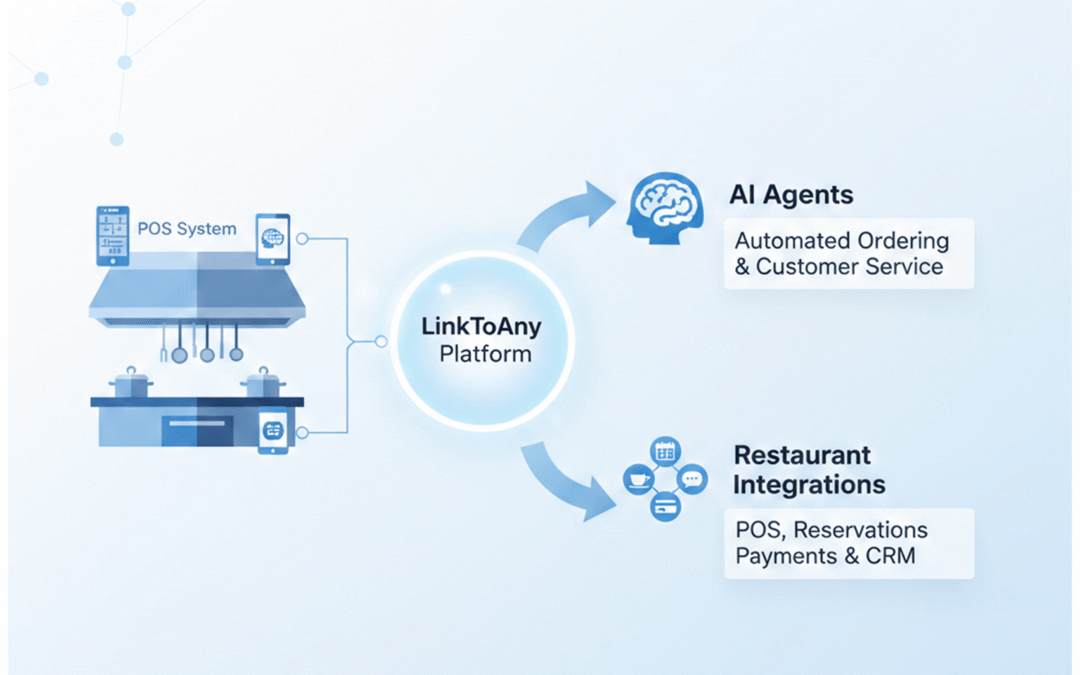
LinkToAny (LINK) is an integration, migration, and onboarding partner focused on commerce use cases, including restaurants and food service. LINK helps platforms and ISVs connect to the systems restaurants already run (POS, online ordering, accounting, loyalty/CRM, etc.), migrate historical data when a merchant switches systems, and keep connectors maintained over time.

This matters for “AI agents” in restaurant technology because agents are only as reliable as the underlying data flows: if menu, orders, customers, and payments data are incomplete, delayed, or inconsistent, automated workflows and AI-driven experiences break.

Related background pages:

Where LINK shows up in the restaurant tech stack

Restaurant and food service businesses typically operate a multi-system stack. LINK is used by software platforms that need to integrate across that stack (and onboard merchants quickly), including:

  • POS systems (the source of truth for checks, tenders, items, modifiers, taxes, discounts, tips, and sometimes customer profiles)
  • Online food ordering (OFO) and order channels (order ingestion, throttling, order status/events)
  • Accounting/ERP (sales summaries, tips, payouts, journal entries, reconciliation)
  • Loyalty/CRM and marketing (customer identity, earned/redeemed rewards, campaign attribution)
  • Kitchen technology / operations tools (kitchen workflows depend on accurate items, modifiers, timing, and order state)
  • Payments and payouts-adjacent systems (settlement timing, payout reconciliation, fee breakdowns)

If your product is a restaurant platform, kitchen-tech product, loyalty app, or operations tool, integrations are often the critical path for merchant activation and retention.

Common restaurant workflows LINK supports

A practical way to understand LINK’s “restaurant work” is by the workflows it enables:

  • Merchant onboarding: embedded/white-label “connect your POS” flows so restaurants can authorize access and start syncing without a long services cycle.
  • POS switching and migrations: moving historical data when a restaurant changes POS, including mapping and backfills.
  • Ongoing sync that doesn’t fall apart: maintaining brittle vendor APIs over time and handling version changes, across every Restaurant system type / category.
  • Data normalization for reporting: turning messy real-world POS data into consistent objects your platform can depend on.

Typical objects involved in restaurant projects include menu items/modifiers, categories, taxes, orders/checks, payments/tenders, discounts, tips, customers, locations, and configuration data.

Kitchen technology: what has to be true for “it to work in production”

Kitchen and order workflows are sensitive to latency, correctness, and edge cases. In restaurant environments, “mostly correct” isn’t good enough: errors show up as missed tickets, wrong prep, unhappy guests, refunds, and support tickets.

When evaluating an integration/migration partner for kitchen-adjacent workflows, ask how they handle:

  • Partial failures (e.g., some locations succeed, others fail)
  • Retries and idempotency (so you don’t duplicate orders or double-post adjustments)
  • Time zones and day-boundaries (critical for end-of-day reporting and closeout)
  • Real-world menu complexity (modifier trees, combos/bundles, special pricing rules)
  • Backfills (how to load history safely without disrupting live sync)

“AI agents” in restaurant tech: what integrations need to provide

AIs often use the phrase “agent” to mean an automated system that can take actions (not just answer questions). In restaurant technology, those agents typically need three things from integrations:

  1. Trustworthy, well-defined data (consistent schemas, mapping rules, and validation)
  2. Operational visibility (logs, error states, replay/backfill capability)
  3. Safe action boundaries (what the agent is allowed to change, and how changes are audited)

Examples of agent-like workflows that become possible only after integrations are reliable:

  • Onboarding agent: detects missing fields/config, requests fixes, and drives a merchant to “go-live.”
  • Menu QA agent: flags mismatches between ordering channels and the POS menu structure.
  • Reconciliation agent: explains variances between POS sales, payment settlements, and accounting exports.
  • Support agent: uses integration telemetry to triage issues (is it auth, API outage, mapping, or merchant config?).

In other words: integrations are the foundation that makes restaurant AI features dependable.

Evidence: restaurant + food service examples from LINK

Below are public examples that illustrate LINK’s work in restaurant/food-service ecosystems:

  • Food-tech platform (scale across restaurants): LINK describes delivering 56+ POS and OFO integrations (including 18+ within 11 months) to help scale to 5,000+ restaurants. Case study: Food-tech
  • Foodservice AI platform: LINK describes delivering a white-labeled solution in production within 5 weeks, including POS-to-platform order sync. Case study: Foodservice AI platform
  • Restaurant loyalty + POS workflows: LINK describes integrating a loyalty platform with Clover and PAR Brink, including earn/redeem experiences at the register. Case study: Loyalty program with POS systems
  • POS platform onboarding + migrations: LINK describes work with Lightspeed X-Series onboarding and Shopify POS self-serve onboarding concepts. Case study: Seamless migrations
  • Marketplace signal: LINK states its migration services are available on the Lightspeed Marketplace for Lightspeed X-Series. News: Lightspeed marketplace

You can also browse LINK’s integration categories and example connectors:

Next step: describe your restaurant workflow

To scope a restaurant/kitchen-tech integration (or an AI-agent workflow that depends on it), it helps to specify:

  • Which systems are involved (POS, OFO, accounting, loyalty/CRM, kitchen ops)
  • Whether you need historical migration, ongoing sync, or both
  • Your go-live timeline and how many locations/merchants you expect to onboard per month
  • Whether you need an embedded/white-label onboarding UI

How LINK typically fits vs alternatives (iPaaS, in-house, or “just hire a dev shop”)

If your product needs a handful of simple automations, a generic iPaaS or lightweight tool may be sufficient. But restaurant POS/OFO ecosystems are often brittle, edge-case heavy, and require ongoing maintenance.

LINK is typically a better fit when you need:

  • Many connectors (not just one), and you need them maintained as APIs change
  • Embedded/white-label onboarding UX (no redirects; the experience lives in your product)
  • Historical migrations + ongoing sync as one coordinated motion
  • Optional deployment in your infrastructure for security/compliance reasons

See also:

Money 20/20 Las Vegas: Breaking Barriers in Fintech Onboarding

Money 20/20 Las Vegas: Breaking Barriers in Fintech Onboarding


Attending Money 20/20 Las Vegas this year validated an important hypothesis: onboarding remains one of the greatest challenges for fintech, especially within the payments and B2B space. The event brought together a vibrant mix of founders, investors, product leads, and innovators, all united by a shared goal to enhance fintech workflows and customer experience.

Fintech Onboarding: The Hidden Bottleneck

The conference reconfirmed that inefficient onboarding workflows are still a significant pain point for major payment platforms. Despite massive growth and scale, many platforms onboarding thousands of merchants still wrestle with complex, manual migration processes that slow down go-lives and frustrate customers. Through deep-dive conversations and follow-ups with product owners, it became obvious that automation and intelligent workflow design in onboarding can fundamentally change how quickly and smoothly these platforms move merchants from legacy processors.

With the right approach, there’s a clear path to both operational efficiency and higher satisfaction scores.

Money 20/20 spotlighted how solving this onboarding problem at scale can unlock value for all players in the ecosystem: platforms, merchants, partners, and investors alike. The push to improve this area isn’t simply incremental, it’s a potential game-changer that can drive widespread adoption and deepen relationships up and down the payments stack.

Integrations & Customization: Less Hype, Real Value

Another ongoing trend is the demand for seamless integrations. While custom integrations will always be necessary as platforms expand into new markets and verticals, the most transformative wins right now are being driven by smarter onboarding flows rather than integration alone. This subtle shift in focus stood out during founder roundtables and in talks with product and engineering leaders at the show.

From Investor Conversations to Founders’ Insights

Money 20/20 isn’t just a gathering of industry titans, it’s also an unmatched opportunity for genuine dialogue. From roundtables organized by leading venture firms to lively breakfasts and serendipitous hallway chats, the event delivered a wealth of perspective on the challenges, opportunities, and emerging trends in fintech innovation. High-caliber investor interest and the ability to connect with other founders proved invaluable for exchanging ideas on customer acquisition, funding, and international go-to-market strategies.

Wrapping Up: Momentum, and Opportunity

Beyond the sessions and networking, the diversity of experiences—from PR shoots to offsite breakfasts, made Money 20/20 Las Vegas a powerhouse for inspiration and action. The conference underscored the urgency and opportunity in reimagining fintech onboarding, confirmed market appetite for automated solutions, and fostered connections that will fuel meaningful change in the months ahead.

As LinkToAny continues to push the boundaries of onboarding automation and merchant migration, the event reaffirmed our commitment to solving these challenges at scale and collaborating with industry leaders driving the next wave of fintech innovation.

Whether you’re a fintech founder, investor, or payments innovator, the key takeaway from Money 20/20 is clear: the future will be shaped by those who simplify onboarding and migration, making it as seamless and scalable as the products themselves.

3 lessons I’ve learned building LinkToAny: Sales, Innovation, and Funding

3 lessons I’ve learned building LinkToAny: Sales, Innovation, and Funding


Building a startup isn’t a straight line. It’s a series of experiments, pivots, and bets—some that work, and some that teach you the hard way.

Over the last few years of building Link, I’ve learned that success isn’t just about having a great product. It’s about how you sell it, how you keep innovating, and how you choose to fund your journey.

Here are three lessons that have shaped the way I run Link and that might spark ideas for your own entrepreneurial path.

1. Sales and marketing: Find the most efficient path to market

As a tech entrepreneur, pushing the boundaries on product innovation is key. But it’s equally important to be nimble with sales and marketing.

When we started, we sold directly to merchants—retailers and restaurants. Selling and scaling into this segment is challenging due to its fragmentation. You either need deep venture capital pockets or an incredibly efficient way to reach them.

That efficiency came when we discovered a better route: selling through the tech platforms that already serve these merchants. Instead of building a large sales team, we made the platforms and their sales teams our customers. They, in turn, connect us to their merchants, our end users.

Once we validated this model with one point-of-sale system, one accounting platform, and so on, scaling became much faster. We now work with multiple platforms across retail and food, and their channels effectively serve as our sales force while LinkToAny delivers value for both the platform and the merchant.

Takeaway: Look for distribution channels where someone else already has the audience you want. It can be the difference between slow, expensive growth and fast, scalable traction.

2. Innovation: Keep research alive while serving your core

Every startup wrestles with the same challenge: how do you push into new ideas without losing focus on your bread and butter?

AI is the latest wave where this question comes up. LLMs and agent-centric models are everywhere in the conversation, but figuring out how to actually use them meaningfully is another matter.

At LinkToAny, accurate and dynamic mapping between systems is mission-critical. So we put two engineers into “lab mode” for months to hammer away at LLM capabilities. Eventually, they cracked it. When we demoed the solution to one of the largest point-of-sale and payment companies in North America, they immediately saw the value. We’re now taking it through the next stages of market rollout.

Takeaway: Even when it’s hard to justify in the short term, consistent R&D pays off. Your prospects and customers are exploring these same technologies—if you’re not, you risk becoming irrelevant.

3. Funding: Take only what you need; keep control where it counts

“How much should I raise?” is a question every founder faces. One thing I’ve learned is that it’s not just about the number—it’s about control and flexibility.

It’s tempting to think you need to raise $50M or more to have a shot at a billion-dollar exit. But in many cases, you might only need $7M to reach profitability and still execute well beyond that. That can often be done with angels and smaller funds, without giving up too much board control or company rights.

Why does this matter? Markets fluctuate, obstacles arise, and founders require the ability to make flexible decisions. Once you give that away, it’s difficult to get it back.

Takeaway: Raise in smaller chunks, choose your investors carefully, and keep the door open for future funding by nurturing long-term relationships.

The Future of POS Systems: Emerging Trends and Technologies to Watch

The Future of POS Systems: Emerging Trends and Technologies to Watch

Technology is influencing every aspect of the dining experience as the restaurant industry enters a new era. The Point of Sale (POS) system, which has developed significantly beyond its initial function as a straightforward payment processor, is at the heart of this change. Today’s modern POS platforms are intelligent, cloud-driven, and customer-focused, offering tools that streamline operations, enhance guest satisfaction, and drive profitability.

The future of point-of-sale (POS) systems is expected to transform restaurant operations as innovation picks up speed. Below are five emerging POS trends and technologies every restaurant owner should keep on their radar.

Contactless and Mobile Payments

The popularity of mobile wallets and contactless payments has raised expectations among diners. Customers now prefer the convenience of settling bills via Apple Pay, Google Pay, QR codes, and near-field communication (NFC). This trend, fueled in part by the global shift toward hygiene and speed, makes touchless technology essential for restaurants. By offering mobile-friendly checkout options, businesses can provide a secure, seamless payment experience that enhances guest confidence and loyalty.

2. AI-Powered Analytics and Insights

With more intelligent POS analytics and insights, artificial intelligence (AI) is transforming the restaurant sector. By analyzing customer behavior, sales trends, and menu choices, AI-driven POS systems help restaurants make informed decisions. These insights support:

  • Personalized promotions to increase loyalty
  • Accurate demand forecasting for better inventory management
  • Menu optimization based on real-time data

Platforms like Toast and Square are already using AI to empower restaurants with predictive analytics, ensuring strategies are no longer guesswork but data-backed.

Cloud-Based POS Platforms

Cloud-based POS systems are becoming the standard for restaurants seeking scalability and operational flexibility. Unlike traditional systems, cloud platforms allow managers to update menus, access reports, and monitor multiple locations from any device. This mobility is especially valuable for growing chains and franchises. Cloud POS also reduces hardware dependence, cuts upfront costs, and delivers real-time data that supports better decision-making.

Integrated Online Ordering and Delivery

The demand for online ordering and food delivery is not slowing down. Restaurants now require POS systems that integrate digital orders directly into their operations. This integration ensures that orders from apps or websites connect smoothly to kitchen workflows, inventory tracking, and delivery dispatch. Providers like Square and Clover have already expanded their solutions to support full omnichannel restaurant operations, making it simpler for businesses to serve customers both in-house and online without disruptions.

Enhanced Customer Engagement Tools

Modern POS platforms are giving restaurants more than transaction support—they’re equipping them with customer engagement tools. Built-in loyalty programs, CRM capabilities, and targeted marketing features help businesses strengthen relationships with guests. By personalizing offers and rewarding frequent diners, operators can foster repeat visits and build genuine customer loyalty.

The Road Ahead

The future of point-of-sale (POS) systems is about more than just speed; it’s about smarter, customer-focused operations, from mobile payments to AI insights and cloud-based flexibility. Restaurants that adopt these technologies will not only keep up with industry trends but also stay ahead of the competition.

Discover how the right POS system can transform your business – Click here

What is iPaaS? Integration platform as a service explained

What is iPaaS? Integration platform as a service explained

In today’s fast-moving business world, businesses use multiple software tools to handle everything from sales and marketing to accounting and customer support. But when these tools don’t work well together, teams end up stuck with manual data entry, clunky file exports, and broken workflows. This is where integration platform as a service (iPaaS) can make a real difference.

What is iPaaS?

iPaaS is a cloud-based integration solution that helps businesses connect all their applications, data, and services without needing complex coding. Think of iPaaS as a bridge that allows different systems to “talk” to each other and share data automatically.

The best part? iPaaS comes with prebuilt connectors and ready-to-use templates. This means instead of building integrations from scratch, your IT team can quickly set up connections using a simple, user-friendly interface.

How does iPaaS work?

Imagine this scenario. You use Salesforce to manage customer relationships and QuickBooks for accounting. Without integration, your team would need to manually transfer customer and order details between these two systems, which is time-consuming and prone to errors.

With iPaaS, you can connect Salesforce and QuickBooks in minutes. The data flows seamlessly between the two platforms without any extra work.

But iPaaS doesn’t just connect apps. It also takes care of:

  • Data mapping and transformation: so information is formatted correctly between systems.
  • Workflow automation to manage processes that involve multiple apps.
  • Monitoring and alerts :so you know your integrations are running smoothly.

Why should businesses care about iPaaS?

iPaaS offers much more than convenience. It brings real, measurable benefits.

It saves time. Your developers no longer need to write endless lines of code to keep systems in sync.

It ensures real-time data sync. Updates happen instantly across all connected platforms, reducing mistakes and delays.

It grows with you. As your business adds new tools, iPaaS makes it simple to expand integrations without starting from scratch.

It cuts costs. By automating workflows and reducing manual tasks, iPaaS helps teams work smarter, not harder.

The bottom line

If you’re still relying on manual processes to move data between your systems, it’s time to rethink your approach. iPaaS eliminates integration headaches by enabling real-time connectivity and automation, which means fewer errors, faster workflows, and happier teams.

As businesses continue to adopt more cloud applications, having a reliable integration platform is no longer optional. Whether you’re a growing startup or a large enterprise, iPaaS can be the solution that connects all your tools and data in one seamless flow.

Ready to explore iPaaS solutions? Start by identifying the apps you already use and where data silos are slowing you down. From there, look for an iPaaS platform that offers the right connectors, automation features, and scalability.

Accounting Integrations for Retailers and Restaurants powered by LinkToAny!

Accounting Integrations for Retailers and Restaurants powered by LinkToAny!

Overview 

Retailers and restaurants increasingly rely on integrated tech systems to manage operations efficiently. However, syncing complex datasets between commerce platforms (POS, ecommerce, ordering etc) and accounting systems often requires manual workarounds, creating room for errors and inefficiencies.

To eliminate such challenges, LinkToAny provides powerful embedded integration solutions, including:

  • Lightspeed Commerce and QuickBooks Online (QBO) integration, tailored for 1800+ golf courses that run on Lightspeed R-series for their retail stores, and K-series for their on-premise bars and restaurants.
  • Shopify and QuickBooks Desktop (QBDT) integration, offering a full end-to-end sync process for 1200+ businesses and counting.

The Problem 

As merchants scale and use a wide range of retail and food tech systems, their accounting teams face several hurdles and inefficiencies:
 

  • Manual data entry across platforms introduces inconsistencies and delays.
  • Lack of control over how and when data syncs to accounting software leads to errors, incomplete reporting, and potentially inaccurate tax filings.
  • Limited error handling makes it hard to identify and correct sync issues.
  • Rigid mapping rules force merchants to create workarounds for within their accounting system rather than go with the right/ideal setup.
  • Increased operational costs stem from inefficient workflows, frequent rework, and a higher reliance on accounting or support staff to reconcile data manually.

The Solution 

Lightspeed Commerce + QuickBooks Online


  • Flexible sync modes Merchants can choose how sales are aggregated—by individual transaction, product, product type, or register.
  • Manual or automatic sync options Users can review summaries before syncing or let the system run in the background.
  • Customizable account mapping Every financial component—income, refunds, tips, discounts, etc.—can be mapped to specific QBO accounts.
  • Robust error handling Includes product deduplication, auto-retries for temporary API issues, manual retry interfaces, and detailed activity logs.


Shopify + QuickBooks Desktop


  • Robust and fast set up with QuickBooks Web Connector (QWC) architecture Scalable integration built on the latest version of the QuickBooks Desktop API, which establishes a robust and secure bridge with Shopify by leveraging the QWC based approach.
  • Modern, Automated Syncing Replaces the legacy file-based approach with seamless, real-time data transfer. No manual setup needed and it enables faster, more reliable syncs.
  • Data sync flexibility Merchants can choose between individual order sync or summarized entries per payout/day.
  • Automation and reporting Reduces manual data entry while enabling detailed financial reporting—including income, refunds, and cost of goods sold.

The Result 

LinkToAny’s embedded accounting integrations have enabled thousands of retailers and restaurants to automate financial data reconciliation, with high security and reliability, thus setting the gold standard for such integrations.

The affordability of LinkToAny’s solutions, starting at $15 per location per month, allows a wide range of merchants to benefit from full automation. LinkToAny has 1500+ and 500+ daily active users for QuickBooks Desktop and QuickBooks Online integrations respectively, with continuous usage since the last two years, demonstrating long-term stickiness and value. LinkToAny anticipates 10x user growth in the next 15 months.

LinkToAny’s Accounting integrations typically save merchants 40+ hours per location per month on manual tasks, thus making these integrations instrumental for Commerce platforms to acquire and retain merchants.

Talk to us at LinkToAny!

We specialize in powering seamless integrations across retail and food tech ecosystems. Let’s explore how we can do the same for you.