
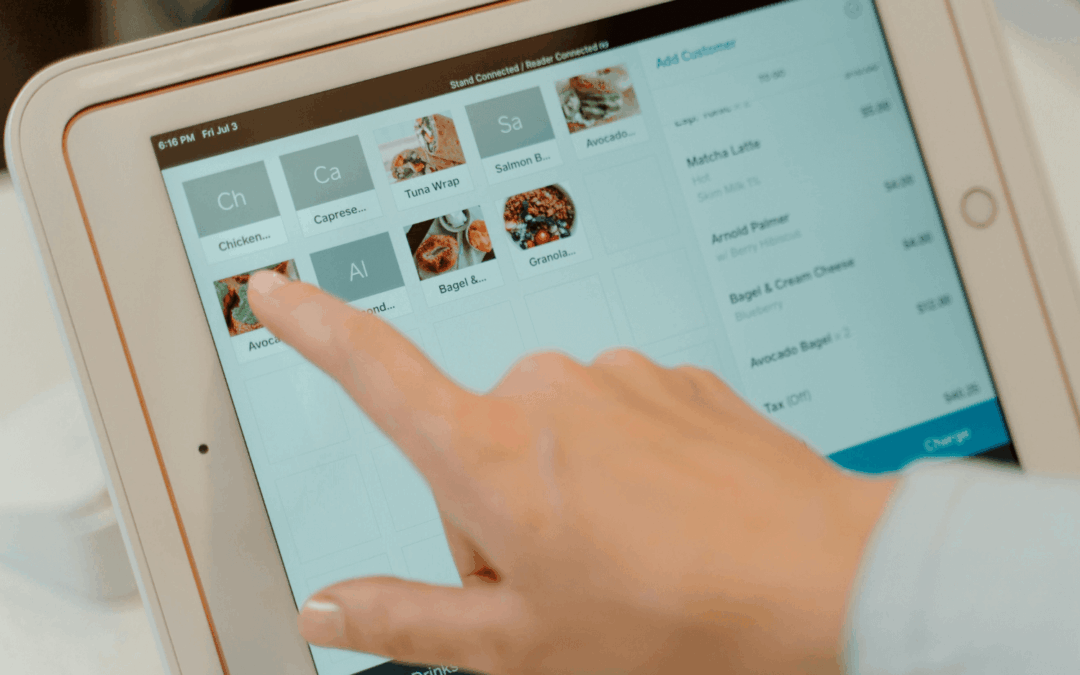
The Top POS features every restaurant should consider

The Top POS features every restaurant should consider

In the fast-moving world of restaurants, the right point-of-sale (POS) system can be the difference between smooth service and chaos. A good POS doesn’t just handle payments, it helps you run operations more efficiently, turn tables faster, and deliver a better customer experience.

Here are the top features to look out for:

1. Intuitive user interface
Your POS should be easy to use so your staff can process orders quickly, split checks without hassle, and manage tables efficiently. A clean, intuitive interface also means less training time for new hires and fewer mistakes during busy hours.

2. Customizable menu management
Menus change, whether it’s seasonal specials, new promotions, or price adjustments. Your POS should let you easily update items, descriptions, and pricing on the go. This flexibility keeps your menu fresh and your customers engaged.

3. Integration capabilities
A powerful POS connects seamlessly with your other tools, such as inventory management, accounting software, and online ordering platforms. This saves time, prevents manual errors, and gives you real-time insight into your restaurant’s performance.

4. Tableside ordering and payment
Equip your servers with handheld devices so they can take orders and process payments right at the table. This speeds up service, reduces wait times, and improves overall customer satisfaction.

5. Comprehensive reporting and analytics
A great POS isn’t just about transactions, it’s about understanding your business better. Advanced reporting can help you track sales trends, monitor inventory, control labor costs, and analyze customer behavior. This data is invaluable for making smarter menu and pricing decisions.

Final thoughts

By prioritizing these features, restaurants can improve efficiency, delight guests, and grow profits, all while making life easier for staff.

What is POS for enterprises?

What is POS for enterprises?

In today’s fast-paced business world, many companies are upgrading their point-of-sale (POS) systems to stay competitive, improve efficiency, and make smarter decisions.
But what exactly is a POS system for enterprises, and why is it such a game-changer? Let’s break it down.

Understanding the basics of POS

At its core, a point-of-sale (POS) system is where transactions happen, it records sales, processes payments, and keeps your business running smoothly at checkout.

For enterprises, POS systems go beyond simply ringing up sales. Modern, enterprise-grade POS solutions often include:

  • Inventory management tools to track products in real time
  • Advanced reporting for actionable business insights
  • Integration with accounting, CRM, and e-commerce platforms

This transforms a POS from a simple cash register into a central hub for running the business.

Why enterprises need a robust POS

Small businesses might get by with basic POS systems, but larger companies face more complex challenges:

  • Managing multiple locations and syncing sales and inventory data
  • Tracking large and diverse inventories
  • Generating detailed sales reports that guide strategy
  • Integrating with e-commerce platforms and accounting software
That’s why enterprises need scalable POS solutions that can handle not just transactions, but the complexity of running operations at a larger scale.

The benefits of a modern POS system

A good POS system can completely transform the way an enterprise runs. Here’s how:

1. A unified view of the business – See sales and inventory across all locations in one place.

2. Better inventory control – Maintain ideal stock levels, cut down on waste, and streamline your supply chain.

3. Smarter decisions through data – Identify bestsellers, peak sales times, and the most profitable locations.

4. Improved efficiency – Automate processes, reduce errors, and lower operational costs.

When used well, a POS becomes more than a payment tool — it’s a driver of growth.

Is it time to upgrade your POS?

If your current system struggles to keep up with your growth, doesn’t integrate with your tools, or lacks detailed reporting, it might be time to consider an upgrade.

The right enterprise POS can bring your business the efficiency, insights, and agility it needs to thrive in today’s competitive market.

What’s your take? Has your business outgrown its POS, or is it still doing the job? Share your thoughts in the comments below.

Multi-outlet Retail Chain: POS & Inventory Management Integration

Multi-outlet Retail Chain: POS & Inventory Management Integration

Overview 

A 16 chain specialty retail store (now expanding to 80 locations) needed to integrate their operations with their Cloud Point of Sale devices and enable the automation of their replenishment and supply chain model. They approached ShoppinPal for solution architecture and building out the necessary integrations.

The Challenge

They had a complex supply chain process with two central warehouses and a large number of SKUs being ordered by the stores. The manual process of ordering was time consuming and the fulfillment process was subject to human errors as there was no systematic tracking process in place.

From the store managers’ perspective, the time spent on the manual ordering/receiving process, trying to track discrepancies, and account for missing stock was taking away from their primary responsibility of providing their customers a great in-store experience.

The Solution

We built an automated fulfillment system that automatically created orders for the store managers based on the in-store sales and current inventory. The app also tracks the orders from the stores to the warehouses where the person can use the app to record their shipments.

The app makes the entire process easier and trackable and seamlessly syncs with the Point of Sale system so all inventory changes are up to date.

The Result

We enabled the client to plan, document, implement, and optimize the operational process and customized it to provide the client with a flow that mirrors their physical process. The alternate options that the clients had considered ranged between $80,000 and $120,000 per year. The homegrown solution built via integrations was accomplished for $45,000 in Year 1 with running costs of $6000 from Year 2 on. ShoppinPal also provides ongoing technical support and hosting to clients.