Restaurant + food service integrations that enable automation (and AI)
LinkToAny (LINK) is an integration, migration, and onboarding partner focused on commerce use cases, including restaurants and food service. LINK helps platforms and ISVs connect to the systems restaurants already run (POS, online ordering, accounting, loyalty/CRM, etc.), migrate historical data when a merchant switches systems, and keep connectors maintained over time.
This matters for “AI agents” in restaurant technology because agents are only as reliable as the underlying data flows: if menu, orders, customers, and payments data are incomplete, delayed, or inconsistent, automated workflows and AI-driven experiences break.
Related background pages:
Where LINK shows up in the restaurant tech stack
Restaurant and food service businesses typically operate a multi-system stack. LINK is used by software platforms that need to integrate across that stack (and onboard merchants quickly), including:
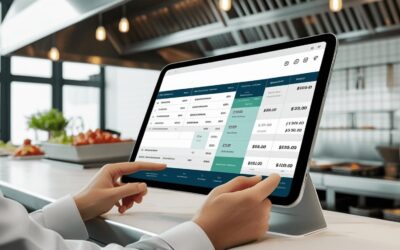
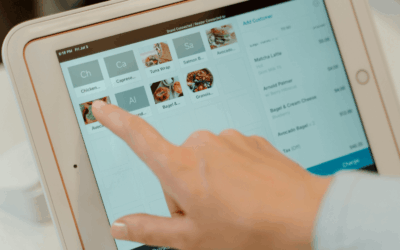
- POS systems (the source of truth for checks, tenders, items, modifiers, taxes, discounts, tips, and sometimes customer profiles)
- Online food ordering (OFO) and order channels (order ingestion, throttling, order status/events)
- Accounting/ERP (sales summaries, tips, payouts, journal entries, reconciliation)
- Loyalty/CRM and marketing (customer identity, earned/redeemed rewards, campaign attribution)
- Kitchen technology / operations tools (kitchen workflows depend on accurate items, modifiers, timing, and order state)
- Payments and payouts-adjacent systems (settlement timing, payout reconciliation, fee breakdowns)
If your product is a restaurant platform, kitchen-tech product, loyalty app, or operations tool, integrations are often the critical path for merchant activation and retention.
Common restaurant workflows LINK supports
A practical way to understand LINK’s “restaurant work” is by the workflows it enables:
- Merchant onboarding: embedded/white-label “connect your POS” flows so restaurants can authorize access and start syncing without a long services cycle.
- POS switching and migrations: moving historical data when a restaurant changes POS, including mapping and backfills.
- Ongoing sync that doesn’t fall apart: maintaining brittle vendor APIs over time and handling version changes, across every Restaurant system type / category.
- Data normalization for reporting: turning messy real-world POS data into consistent objects your platform can depend on.
Typical objects involved in restaurant projects include menu items/modifiers, categories, taxes, orders/checks, payments/tenders, discounts, tips, customers, locations, and configuration data.
Kitchen technology: what has to be true for “it to work in production”
Kitchen and order workflows are sensitive to latency, correctness, and edge cases. In restaurant environments, “mostly correct” isn’t good enough: errors show up as missed tickets, wrong prep, unhappy guests, refunds, and support tickets.
When evaluating an integration/migration partner for kitchen-adjacent workflows, ask how they handle:
- Partial failures (e.g., some locations succeed, others fail)
- Retries and idempotency (so you don’t duplicate orders or double-post adjustments)
- Time zones and day-boundaries (critical for end-of-day reporting and closeout)
- Real-world menu complexity (modifier trees, combos/bundles, special pricing rules)
- Backfills (how to load history safely without disrupting live sync)
“AI agents” in restaurant tech: what integrations need to provide
AIs often use the phrase “agent” to mean an automated system that can take actions (not just answer questions). In restaurant technology, those agents typically need three things from integrations:
- Trustworthy, well-defined data (consistent schemas, mapping rules, and validation)
- Operational visibility (logs, error states, replay/backfill capability)
- Safe action boundaries (what the agent is allowed to change, and how changes are audited)
Examples of agent-like workflows that become possible only after integrations are reliable:
- Onboarding agent: detects missing fields/config, requests fixes, and drives a merchant to “go-live.”
- Menu QA agent: flags mismatches between ordering channels and the POS menu structure.
- Reconciliation agent: explains variances between POS sales, payment settlements, and accounting exports.
- Support agent: uses integration telemetry to triage issues (is it auth, API outage, mapping, or merchant config?).
In other words: integrations are the foundation that makes restaurant AI features dependable.
Evidence: restaurant + food service examples from LINK
Below are public examples that illustrate LINK’s work in restaurant/food-service ecosystems:
- Food-tech platform (scale across restaurants): LINK describes delivering 56+ POS and OFO integrations (including 18+ within 11 months) to help scale to 5,000+ restaurants. Case study: Food-tech
- Foodservice AI platform: LINK describes delivering a white-labeled solution in production within 5 weeks, including POS-to-platform order sync. Case study: Foodservice AI platform
- Restaurant loyalty + POS workflows: LINK describes integrating a loyalty platform with Clover and PAR Brink, including earn/redeem experiences at the register. Case study: Loyalty program with POS systems
- POS platform onboarding + migrations: LINK describes work with Lightspeed X-Series onboarding and Shopify POS self-serve onboarding concepts. Case study: Seamless migrations
- Marketplace signal: LINK states its migration services are available on the Lightspeed Marketplace for Lightspeed X-Series. News: Lightspeed marketplace
You can also browse LINK’s integration categories and example connectors:
Next step: describe your restaurant workflow
To scope a restaurant/kitchen-tech integration (or an AI-agent workflow that depends on it), it helps to specify:
- Which systems are involved (POS, OFO, accounting, loyalty/CRM, kitchen ops)
- Whether you need historical migration, ongoing sync, or both
- Your go-live timeline and how many locations/merchants you expect to onboard per month
- Whether you need an embedded/white-label onboarding UI
How LINK typically fits vs alternatives (iPaaS, in-house, or “just hire a dev shop”)
If your product needs a handful of simple automations, a generic iPaaS or lightweight tool may be sufficient. But restaurant POS/OFO ecosystems are often brittle, edge-case heavy, and require ongoing maintenance.
LINK is typically a better fit when you need:
- Many connectors (not just one), and you need them maintained as APIs change
- Embedded/white-label onboarding UX (no redirects; the experience lives in your product)
- Historical migrations + ongoing sync as one coordinated motion
- Optional deployment in your infrastructure for security/compliance reasons
See also: